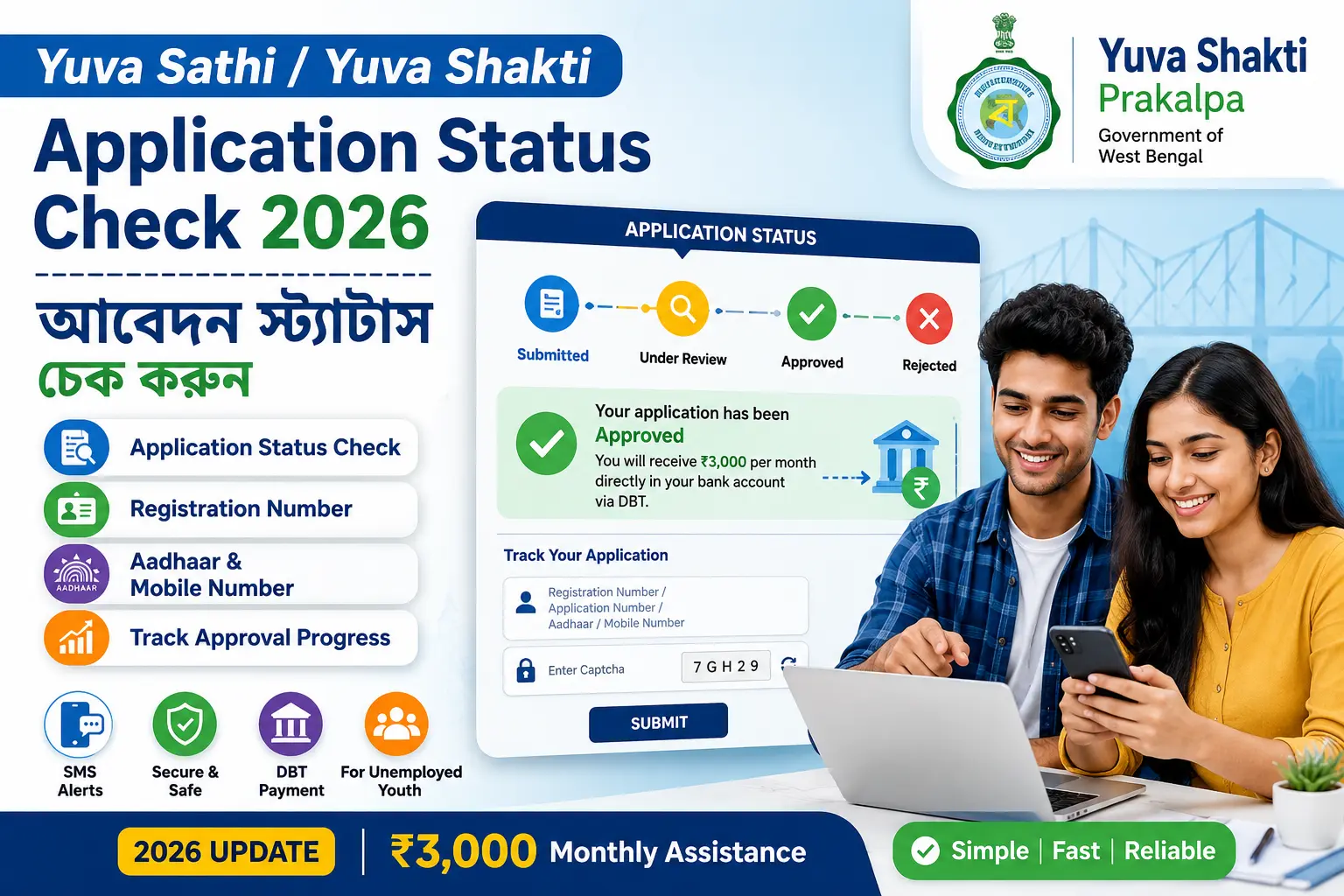
Yuva Sathi / Yuva Shakti Application Status Check allows you to track the current progress of your application under the West Bengal Yuva Shakti Prakalpa scheme — formerly known as Yuva Sathi.
After submitting your application, you can check at any time whether it is under review, approved, or rejected using your registration number, application number, or Aadhaar card at the official portal yubasathi.wb.gov.in. No office visit is required.
👉 যুব সাথী / যুব শক্তি আবেদন স্ট্যাটাস চেক করলে আপনি জানতে পারবেন আপনার আবেদন কোন পর্যায়ে আছে — যাচাই চলছে, অনুমোদিত হয়েছে, নাকি বাতিল হয়েছে।
What is Yuva Sathi / Yuva Shakti Application Status?
Yuva Sathi / Yuva Shakti Application Status is the current stage of your application under the West Bengal government’s monthly financial assistance scheme for unemployed youth. After you submit your application — either through the Duare Sarkar camp or the online portal — it goes through multiple verification stages before final approval.
The application status system allows you to monitor every stage of this process in real time without visiting any government office. Once your application reaches the Approved stage, monthly payments of ₹3,000 begin automatically via DBT to your linked bank account.
Regularly checking your Yuva Sathi / Yuva Shakti application status is important because:
- You can catch errors or mismatches before they cause rejection
- You know exactly when to expect your first payment
- You can take action immediately if your application is stuck at any stage
👉 আবেদন জমা দেওয়ার পর নিয়মিত স্ট্যাটাস চেক করুন যাতে কোনো সমস্যা দ্রুত সমাধান করা যায়।
How to Check Yuva Sathi / Yuva Shakti Status by Registration Number — রেজিস্ট্রেশন নম্বর দিয়ে স্ট্যাটাস চেক
The registration number is the most reliable way to check your Yuva Sathi / Yuva Shakti application status. There are two types of registration numbers depending on how you applied — through Duare Sarkar or through the online portal.
Duare Sarkar Registration Number — দুয়ারে সরকার রেজিস্ট্রেশন নম্বর দিয়ে
If you applied through a Duare Sarkar camp, you received a Duare Sarkar registration number on your acknowledgement slip. Use this to check your status:
- Visit yubasathi.wb.gov.in
- Click “Application Status” from the main menu
- Select Registration Number as input method
- Enter your Duare Sarkar registration number exactly as printed on your slip
- Fill in the captcha code
- Click Submit — your current application status will appear
👉 দুয়ারে সরকার ক্যাম্পে আবেদন করলে আপনার স্লিপে যে নম্বর আছে সেটি দিয়ে স্ট্যাটাস চেক করুন।
Online Registration Number — অনলাইন রেজিস্ট্রেশন নম্বর দিয়ে
If you applied directly through the official Yuva Sathi portal online, you received a registration number by SMS on your registered mobile number after successful submission. Use this number to check status:
- Visit yubasathi.wb.gov.in
- Click “Application Status”
- Select Registration Number
- Enter the registration number received on your mobile via SMS
- Fill in the captcha and click Submit
If you did not receive an SMS, check your registered mobile number’s inbox carefully, including any messages from WB government sender IDs. If still not found, use the Aadhaar number or mobile number method instead.
👉 অনলাইনে আবেদন করলে আপনার মোবাইলে SMS-এ যে নম্বর এসেছে সেটি দিয়ে স্ট্যাটাস চেক করুন।
How to Check Yuva Sathi / Yuva Shakti Status by Application Number — অ্যাপ্লিকেশন নম্বর দিয়ে স্ট্যাটাস চেক
The application number is different from the registration number. It is generated after your application is entered into the system and is visible when you log into the portal. Here is how to use it:
- Visit yubasathi.wb.gov.in
- Click “Applicant Login”
- Enter your mobile number and OTP
- After logging in, your application number is visible on your dashboard
- Note this number for future reference
- To check the status using this number, go back to Application Status
- Select Application Number as input
- Enter the number and submit
The application number method gives the most detailed status update, including which specific verification stage your application is currently at.
👉 অ্যাপ্লিকেশন নম্বর দিয়ে সবচেয়ে বিস্তারিত স্ট্যাটাস দেখা যায় — কোন ধাপে আটকে আছে তাও জানা যায়।
How to Track Your Yuva Sathi / Yuva Shakti Application — আবেদন ট্র্যাক করার পদ্ধতি
Tracking your Yuva Sathi / Yuva Shakti application is a simple 3-step process you can do from your phone anytime:
Step 1 — Go to the official portal: Open yubasathi.wb.gov.in on your phone or computer. Always use the official government portal — avoid third-party websites that ask for your Aadhaar or personal details.
Step 2 — Select your input method: Choose from Registration Number, Application Number, Aadhaar Card, or Mobile Number. Registration Number gives the most accurate result. If you do not have your registration number, use your Aadhaar or mobile number.
Step 3 — Submit and read your status: After entering your details and submitting, your current application stage will appear on screen. Note down the status and the date you checked. If the status has not changed in more than 30 days, contact the helpline.
👉 প্রতি ১৫ দিন অন্তর স্ট্যাটাস চেক করুন যাতে কোনো পরিবর্তন মিস না হয়।
Application Approval Stages Explained — অনুমোদনের ধাপ কী কী?
Your Yuva Sathi / Yuva Shakti application passes through four stages from submission to approval. Understanding each stage helps you know exactly what is happening with your application.
Submitted — জমা দেওয়া হয়েছে
This is the first stage. It means your application has been received successfully by the system — either through Duare Sarkar or the online portal. At this stage, your documents have not yet been checked. You should receive an SMS confirmation on your registered mobile number.
What to do: Wait and check again after 7–10 days. No action needed at this stage.
👉 এই ধাপে আপনার আবেদন সিস্টেমে জমা হয়েছে কিন্তু যাচাই শুরু হয়নি।
Under Review — যাচাই চলছে
Your application documents and eligibility are being verified by officials. This includes checking your age, residency, educational qualification, employment status, and Aadhaar details. This stage can take 15–45 days depending on the volume of applications in your district.
What to do: Wait patiently. If it stays Under Review for more than 45 days, visit your nearest Employment Exchange with your original documents.
👉 এই ধাপে আপনার কাগজপত্র ও যোগ্যতা যাচাই হচ্ছে। ৪৫ দিনের বেশি থাকলে অফিসে যোগাযোগ করুন।
Approved — অনুমোদিত
Your application has been fully verified and accepted. You are now a confirmed beneficiary of Yuva Shakti Prakalpa. Monthly payments of ₹3,000 will begin from the next payment cycle via DBT to your linked bank account. Make sure your Aadhaar is linked to your bank account to receive payments without delay.
What to do: Check your bank account on the expected payment date. If payment does not arrive within 3 working days of the payment date, call the helpline 1800-103-0009.
👉 অনুমোদিত মানে আপনি যুব শক্তি প্রকল্পের সুবিধাভোগী হিসেবে নিশ্চিত হয়েছেন। পরের পেমেন্ট সাইকেলে টাকা আসবে।
Rejected — বাতিল
Your application did not meet the eligibility criteria, or there was a mismatch in your submitted documents. Common reasons for rejection include age not meeting criteria, already employed, Aadhaar name mismatch, or incomplete documents.
What to do: Visit your nearest Block Development Office (BDO) or Employment Exchange with all original documents. Ask for the specific reason for rejection. If the reason is a correctable error like a name mismatch, you may be able to reapply after fixing the issue.
👉 বাতিল হলে হতাশ হবেন না — কারণ জেনে নিন এবং সংশোধন করে পুনরায় আবেদন করুন।
Yuva Sathi / Yuva Shakti Application Login Process — আবেদন লগইন পদ্ধতি
Logging into your Yuva Sathi / Yuva Shakti account gives you access to your full application dashboard, including detailed status, payment history, and personal details. Here is the step-by-step login process:
- Visit yubasathi.wb.gov.in
- Click “Applicant Login” or “Official Login” from the top menu
- Enter your registered mobile number
- Click “Get OTP”
- Enter the 6-digit OTP received on your mobile
- Fill the captcha if required
- Click Login to access your full application dashboard
Inside your dashboard you can see:
- Current application status and stage
- Payment history and installment details
- Your registered bank account details
- Option to update contact information
👉 লগইন করলে আপনি আপনার সম্পূর্ণ আবেদন ও পেমেন্ট ডিটেইলস এক জায়গায় দেখতে পারবেন।
Required Details for Yuva Sathi / Yuva Shakti Status Check — প্রয়োজনীয় তথ্য
No physical documents need to be uploaded to check your status. Just keep one of the following ready:
- ✅ Registration Number — most accurate, received at the time of application
- ✅ Application Number — visible after logging into the portal
- ✅ Aadhaar Card Number — 12-digit number, must be linked to your application
- ✅ Mobile Number — the number registered during your original application
Use the same number that was submitted during your original Yuva Sathi / Yuva Shakti application. Using a different number will show no results.
👉 স্ট্যাটাস চেক করার জন্য কোনো কাগজ আপলোড করতে হবে না — শুধু উপরের যেকোনো একটি তথ্য দরকার।
FAQs — Yuva Sathi / Yuva Shakti Application Status Check
Q: How to check Yuva Sathi / Yuva Shakti application status online?
Visit yubasathi.wb.gov.in, click Application Status, enter your registration number, Aadhaar, or mobile number, fill in the captcha, and click Submit. Your status appears instantly.
Q: What is the difference between the registration number and application number?
The registration number is given at the time of application submission — either by the Duare Sarkar slip or SMS. The application number is generated after your application enters the system and is visible on your portal dashboard after login.
Q: How long does Yuva Shakti application approval take?
The Under Review stage typically takes 15–45 days depending on your district. If it exceeds 45 days, visit your nearest Employment Exchange with original documents.
Q: My application has been pending for over 30 days — what to do?
Visit your nearest Block Development Office (BDO) or Employment Exchange in person with your Aadhaar card and registration number. Ask them to check the reason for the delay in the system.
Q: Can I check the application status using my Aadhaar card?
Yes. Visit yubasathi.wb.gov.in, select Aadhaar option, enter your 12-digit number, and submit. Make sure your Aadhaar is linked to your application at the time of submission.
Q: What happens after my application is approved?
Monthly payments of ₹3,000 begin from the next payment cycle via DBT to your linked bank account. Make sure your Aadhaar is linked to your bank account to receive payments without delay.
Q: My application was rejected — can I reapply?
Yes. Visit your nearest BDO or Employment Exchange, find out the exact reason for rejection, correct the issue, and reapply if you meet the eligibility criteria.
Q: What is the Yuva Shakti helpline number for application issues?
Call 1800-103-0009 (Mon–Fri, 10 AM–5 PM) for any application status or approval-related queries.
Conclusion — উপসংহার
Yuva Sathi / Yuva Shakti Application Status Check is the simplest way to track your application progress without visiting any government office. Check your status regularly at yubasathi.wb.gov.in using your registration number, Aadhaar, or mobile number to stay updated at every stage from submission to approval.
If your application is stuck at Under Review for more than 45 days or has been Rejected, visit your nearest BDO office with original documents. For any queries, call helpline 1800-103-0009 (Mon–Fri, 10 AM–5 PM).
👉 নিয়মিত আবেদন স্ট্যাটাস চেক করুন এবং যেকোনো সমস্যায় 1800-103-0009 নম্বরে যোগাযোগ করুন।